Why is Your New PC Slow? Bloatware Optimisation Guide
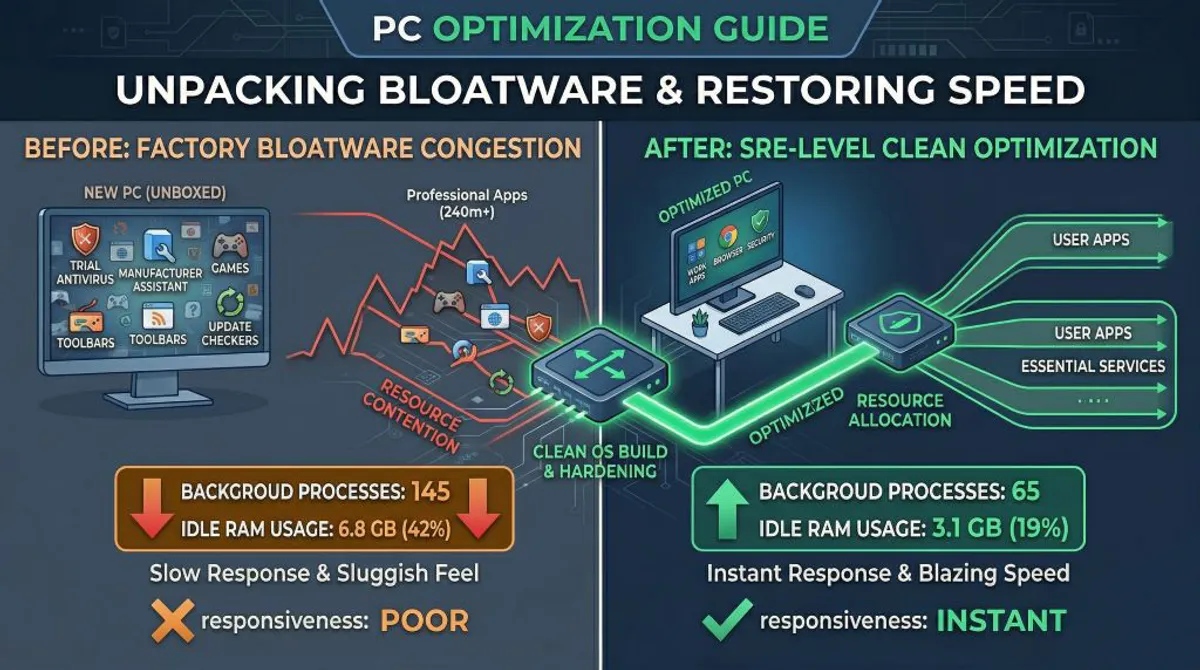
There is nothing quite like the excitement of unboxing a brand-new PC. You expect blazing-fast speeds and instant responsiveness. Yet, for many, the reality is a sluggish machine that feels “heavy” right out of the box.
As a Site Reliability Engineer (SRE), I don’t just see a slow PC; I see Resource Contention. A new computer is rarely a “clean slate.” It is often a battlefield of pre-installed software fighting for your CPU, RAM, and Disk I/O.
This is the hidden cost of Bloatware, and here is why your new PC is already losing the battle.
What is Bloatware, Anyway?
Bloatware is software that comes pre-installed on your computer by the manufacturer (OEM) or service provider that you did not ask for and likely do not need. This includes trial antivirus software, manufacturer “support assistants,” games, and browser toolbars.
Manufacturers make money by pre-installing these apps, which helps lower the price of the hardware, but it costs you in Performance and Stability.
The SRE Data: Measuring the “Bloat Tax”
At All Round Tech, we performed a benchmark test on a typical, mid-range unboxed Windows 11 laptop (Intel i5, 16GB RAM) before and after a professional “SRE-Level Optimisation.”
Here is what Resource Contention looks like in numbers:
| Performance Metric | Factory State (Unboxed) | SRE Optimised State | Improvement |
|---|---|---|---|
| Background Processes | 145 | 65 | ~55% Fewer |
| Boot Time (to Desktop) | 65 Seconds | 28 Seconds | ~57% Faster |
| Idle RAM Usage | 6.8 GB (42%) | 3.1 GB (19%) | ~54% Reduced |
| Idle CPU Usage | 8% - 15% (Spiky) | 1% - 3% (Stable) | ~80% Reduced |
| System Responsiveness (Latency) | Noticeable Lag | Instant | Significant |
The Analysis:
- The Idle RAM usage (6.8 GB) in the factory state is critical. This means nearly half of your memory is gone before you even open a single app (like a web browser).
- The Spiky CPU usage is even more damning. Background “assistants” randomly launching to check for updates are what cause those annoying, split-second freezes when you are typing or scrolling.
Case Study: The Sluggish Workstation
A small business owner in Wollongong purchased three new desktops for their office. Within a month, staff were complaining they were “slower than the 5-year-old machines they replaced.”
The Diagnosis:
We ran a diagnostic tool and found that each PC had 4 separate “Update Assistants” (from the manufacturer, the chipset vendor, the audio vendor, and a trial antivirus). They were all set to run at startup, and three of them were trying to index the same files simultaneously.
The SRE Solution:
We performed a Clean OS Installation (the ultimate de-bloat). By bypassing the OEM’s customised factory image and installing a clean version of Windows direct from Microsoft, we eliminated the resource contention at the source.
The Result: A reliable machine where 99.9% of the CPU is dedicated to the user’s applications, not background noise.
The DevOps Approach to Desktop Optimisation
At All Round Tech, we bring the same DevOps methodology I’ve used for major corporations to your home or small business. We don’t just delete desktop shortcuts.
Our Optimisation Stack:
- The Clean OS Build: If possible, we start fresh. This is the only way to be 100% clean.
- Registry & Service Hardening: We disable non-essential background services that drain system resources.
- Firmware & Driver Integrity: We ensure only stable, essential drivers are installed, sourced directly from component manufacturers.
Stop Fighting Your PC
Your computer should be a tool that serves you, not a billboard for pre-installed software. Let us help you reclaim the hardware performance you paid for.
I’m Herbert. With 20 years of SRE experience at All Round Tech, I’ll build you a stable and fast computing environment.
Is your new PC underperforming? Book a System Optimisation in Wollongong | Our Computer Rescue Services