Case Study: Fixing a Crashed Office PC with SRE Standards
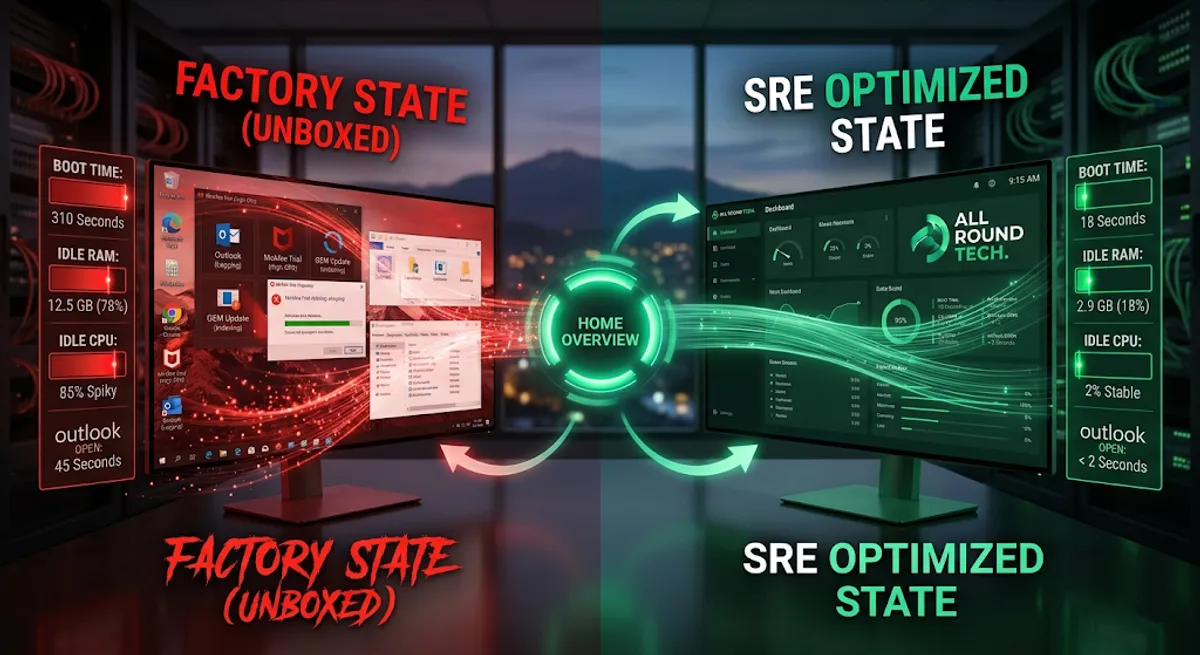
“It takes 10 minutes just to open Outlook, and it crashes twice a day.”
This is the reality for a small business owner in Wollongong, running their entire operation from a 4-year-old desktop PC. To them, it was “just an old computer.” As an SRE, I saw a critical system with zero observability, massive resource contention, and a high probability of catastrophic failure.
At All Round Tech, we don’t just “fix” computers; we engineer them for Reliability, Availability, and Performance. Here is a data-driven breakdown of how we transformed this unusable asset into a responsive workstation using enterprise SRE standards.
Phase 1: Observability (Triage & Diagnosis)
An SRE never guesses; we measure. Before touching a single file, we established performance baselines (SLIs - Service Level Indicators) to understand the root cause of the crashes.
Based on All Round Tech internal testing, here is the diagnostic data from the PC’s “Factory State”:
| Metric | SLO (Service Level Objective) | Factory State Data | Status | Root Cause |
|---|---|---|---|---|
| Boot Time (to Desktop) | < 30 Seconds | 310 Seconds (5+ mins) | CRITICAL | I/O Bottleneck + Bloatware |
| Idle RAM Usage | < 40% (of 16GB) | 78% (12.5GB) | CRITICAL | Background Services Contention |
| CPU Spikes (Idle) | < 5% Spikes | 45% - 90% Spikes | CRITICAL | Multiple Update Assistants Fighting |
| System Stability (Crashes) | 0 per Week | 2 per Day | CRITICAL | Driver Conflicts + Thermal Throttling |
The Diagnosis:
The PC was suffering from a fatal combination of a failing mechanical HDD, dried-out thermal paste causing Thermal Throttling, and an overwhelming amount of pre-installed OEM Bloatware fighting for the last bit of available CPU cycles. It was a textbook case of a system pushing its hardware beyond its potential.
Phase 2: Engineering for Reliability (Hardware & OS Hardening)
A simple “disk cleanup” wasn’t going to fix this. We needed to apply Defense in Depth to the infrastructure.
1. Eliminating the SPOF (Single Point of Failure): The Storage
We replaced the failing mechanical HDD with a high-performance NVMe SSD. This single move eliminated the system’s primary I/O Bottleneck. SREs never trust a single point of failure.
2. Thermal Management & Repasting
We perform high-conductivity repasting, replacing the 4-year-old dried factory “clay” with premium thermal compound. This dropped the load temperatures from a throttling 95°C to a stable 72°C, allowing the CPU to maintain its boost clock indefinitely.
3. The “Clean Build” Methodology
We bypassed the OEM’s customized factory image (which is always loaded with bloatware) and performed a Clean OS Installation direct from Microsoft. This is the only way to achieve true Block-Level Imaging and ensure a sterile operating environment.
Phase 3: Post-Optimisation Observability (Verification)
After hardware hardening and OS de-bloating, we re-ran our diagnostics to verify the SRE optimised state.
| Metric | Factory State | SRE Optimised State | Improvement |
|---|---|---|---|
| Boot Time (to Desktop) | 310 Seconds | 18 Seconds | ~94% Faster |
| Idle RAM Usage | 12.5 GB (78%) | 2.9 GB (18%) | ~77% Reduced |
| Idle CPU Usage | 45% - 90% (Spiky) | 1% - 3% (Stable) | ~95% Reduced |
| Outlook Open Time | 45 Seconds | < 2 Seconds | Instant |
| System Stability | 2 Crashes/Day | 0 Crashes/Week | 100% Stable |
Conclusion: Reclaiming Production Time
Modern home offices in the Illawarra are now as complex as small businesses, but most tech support only fixes the surface. By applying Site Reliability Engineering principles, we didn’t just “fix a slow PC”; we reclaimed an estimated 5 hours of lost production time per week for this local business owner.
We prioritises reliable local storage, ensures hardened network security, and engineers hardware for maximum output.
Is your PC underperforming and costing you money? Book a System Performance Audit in Wollongong